Context
Large enterprise clients were under growing legal, procurement and reputational pressure to meet accessibility standards. Many had no internal expertise and didn’t know where to begin. The audits on the market were either fully automated or technical reports that teams struggled to use. At Trinetix we saw room for a more practical service, and I became one of the people shaping and delivering it.
All the audits I ran were for applications at a Big 4 client. Most were large legacy products, often 50 to 100 screens, built over many years by teams who knew little about accessibility. They weren’t accessible at all.
My role
I owned much of the subject expertise and delivery: the audit methodology, running the assessments, and turning WCAG 2.1 into findings teams could act on. I also advised Trinetix teams who came to me with questions.
The problem
Teams didn’t need another long compliance report. They needed to know what was broken, how serious it was and who should fix it, without slowing delivery. Without that, accessibility stayed a problem for later.
What I built
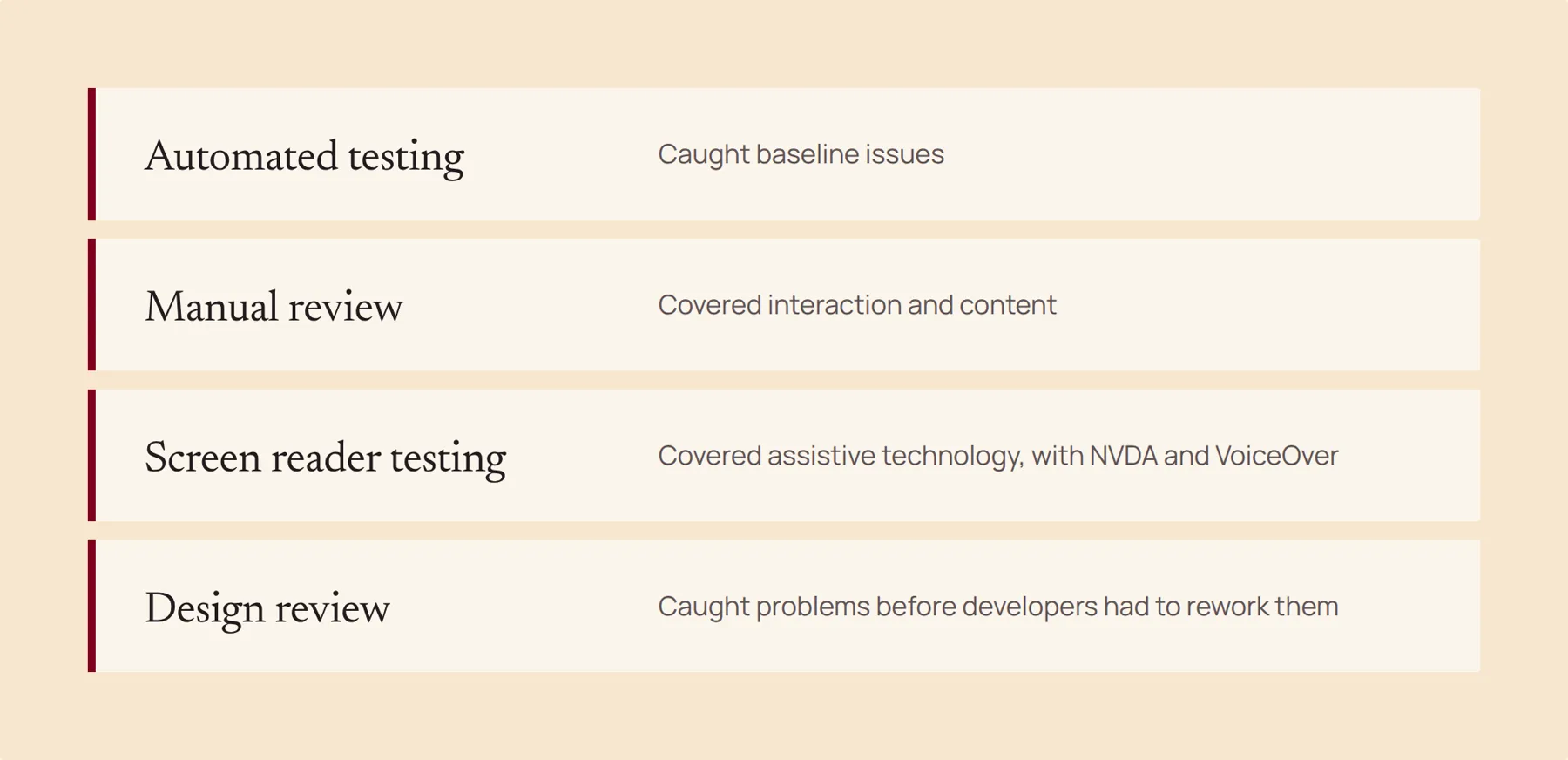
I designed an audit with four layers. Automated testing caught baseline issues. Manual review covered interaction and content. Screen reader testing with NVDA and VoiceOver covered assistive technology. A design review caught problems before developers had to rework them.
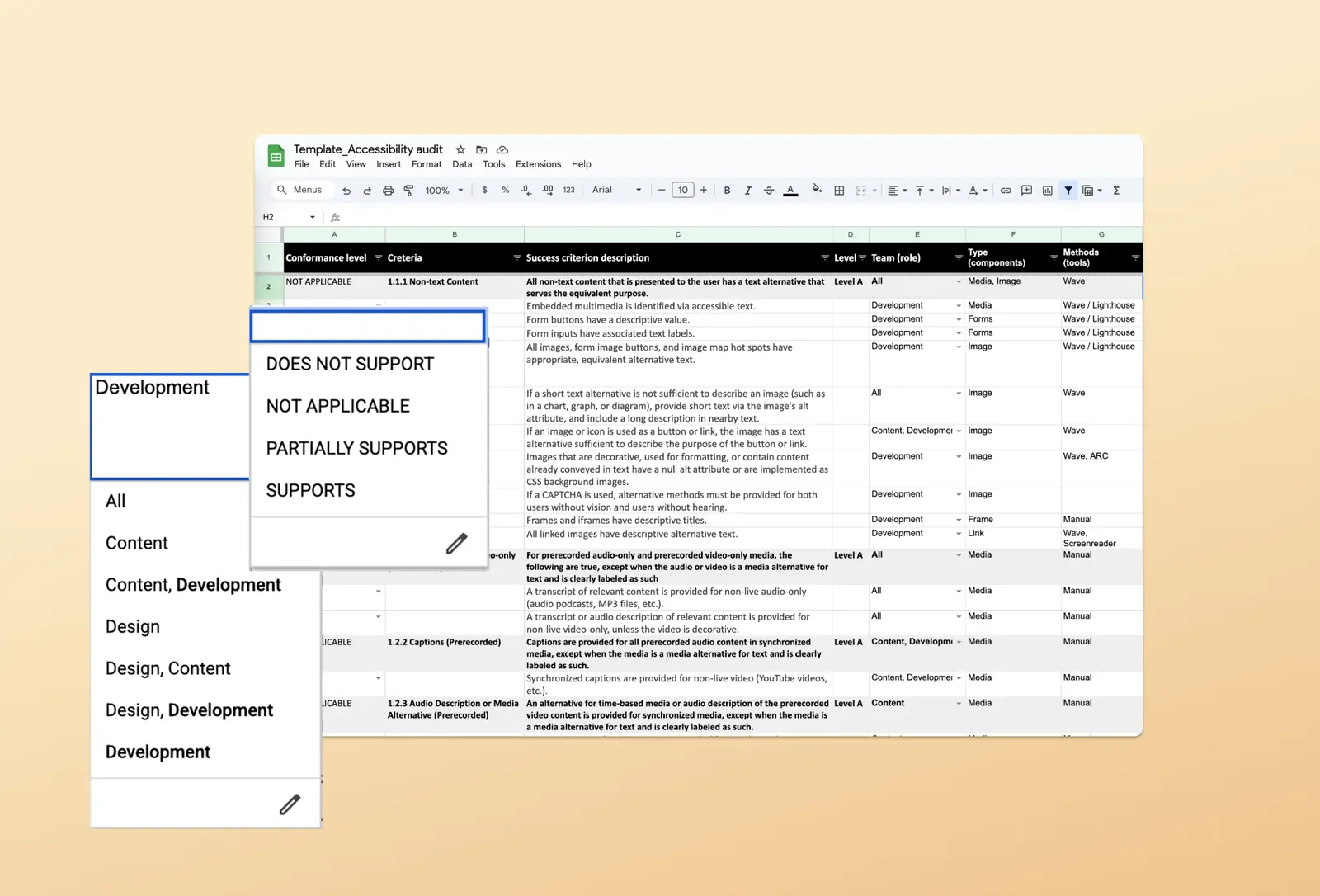
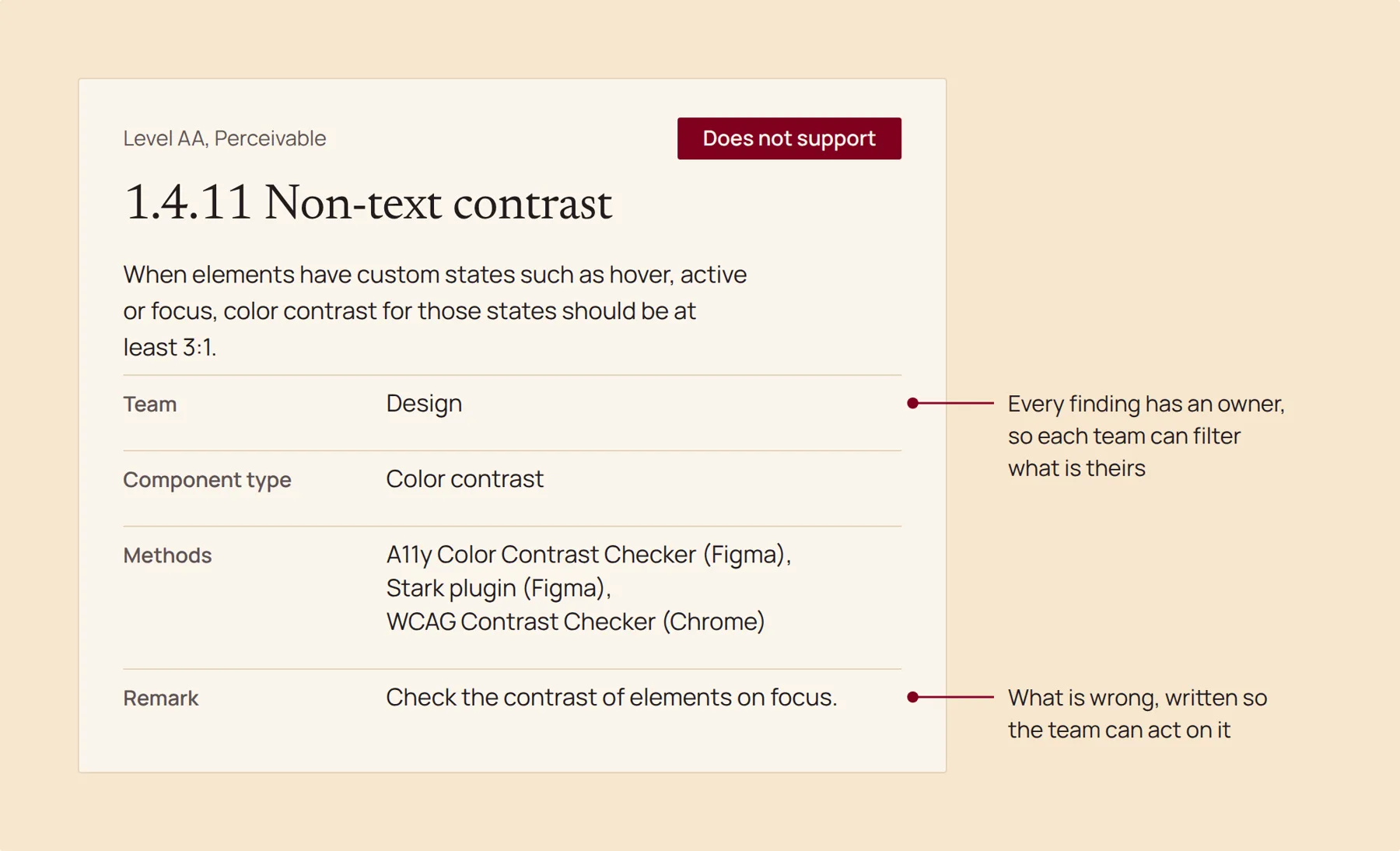
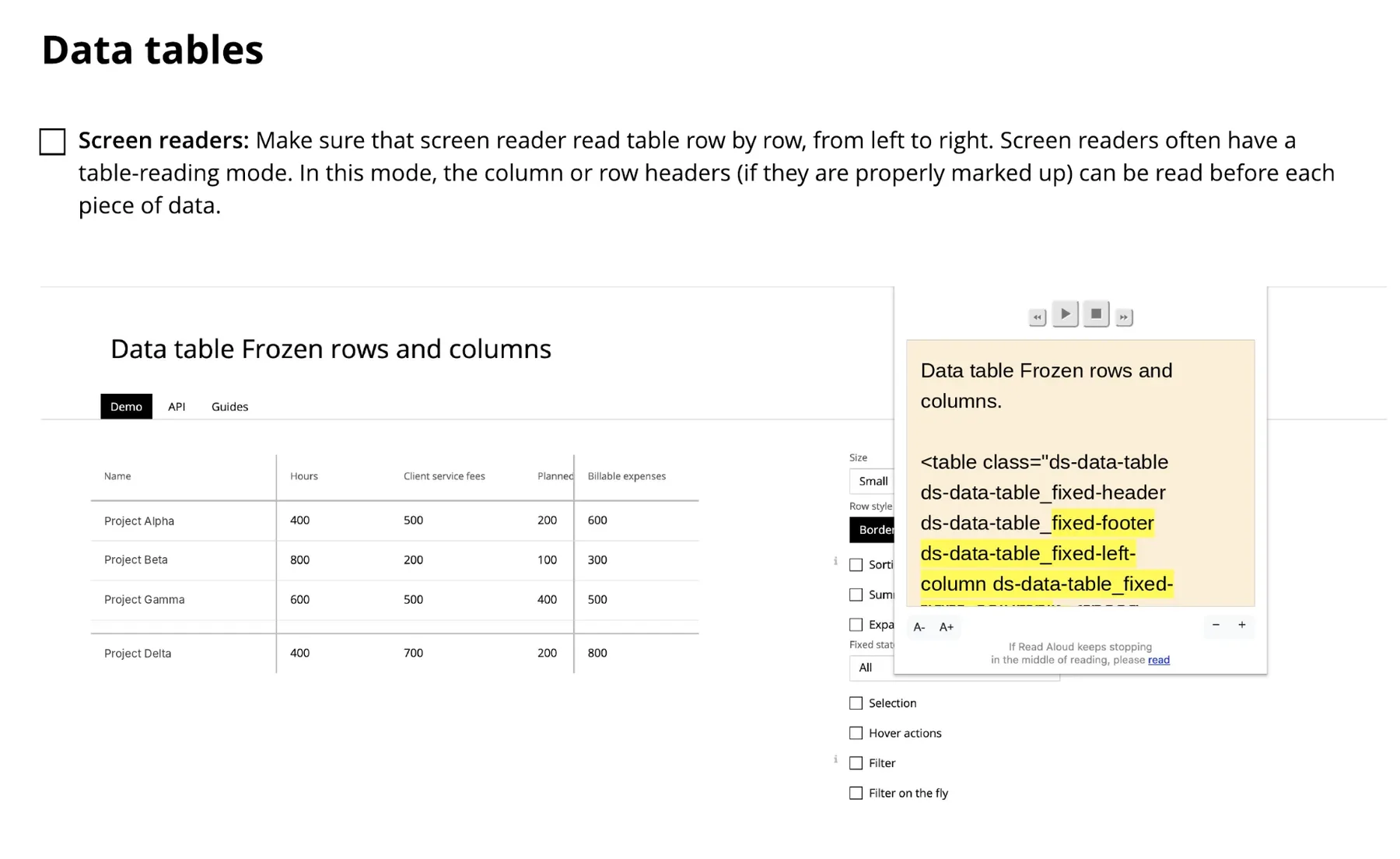
Every team got the same report. For each WCAG 2.1 criterion, I marked whether the system supported it, partially supported it, didn’t support it, or whether it didn’t apply, for example when a system had no audio or video. The target was AA, the level the client required. Each finding was assigned to a team (design, content or development) and a type of component, so a team could filter what was theirs. A front end team working on charts, for example, could see that they needed to add aria labels. I added screenshots of the code that needed fixing and links to guides where they could read more.
What we kept finding
Dashboards relied on color alone. Charts had no labels or text alternatives. Keyboard navigation failed on key workflows. Polished custom components didn’t work with assistive technology. These were business critical screens, not edge cases.
Scaling it
I trained 20+ developers and 12+ designers, documented the process so others could run audits, and reviewed design system components early for accessibility risks.
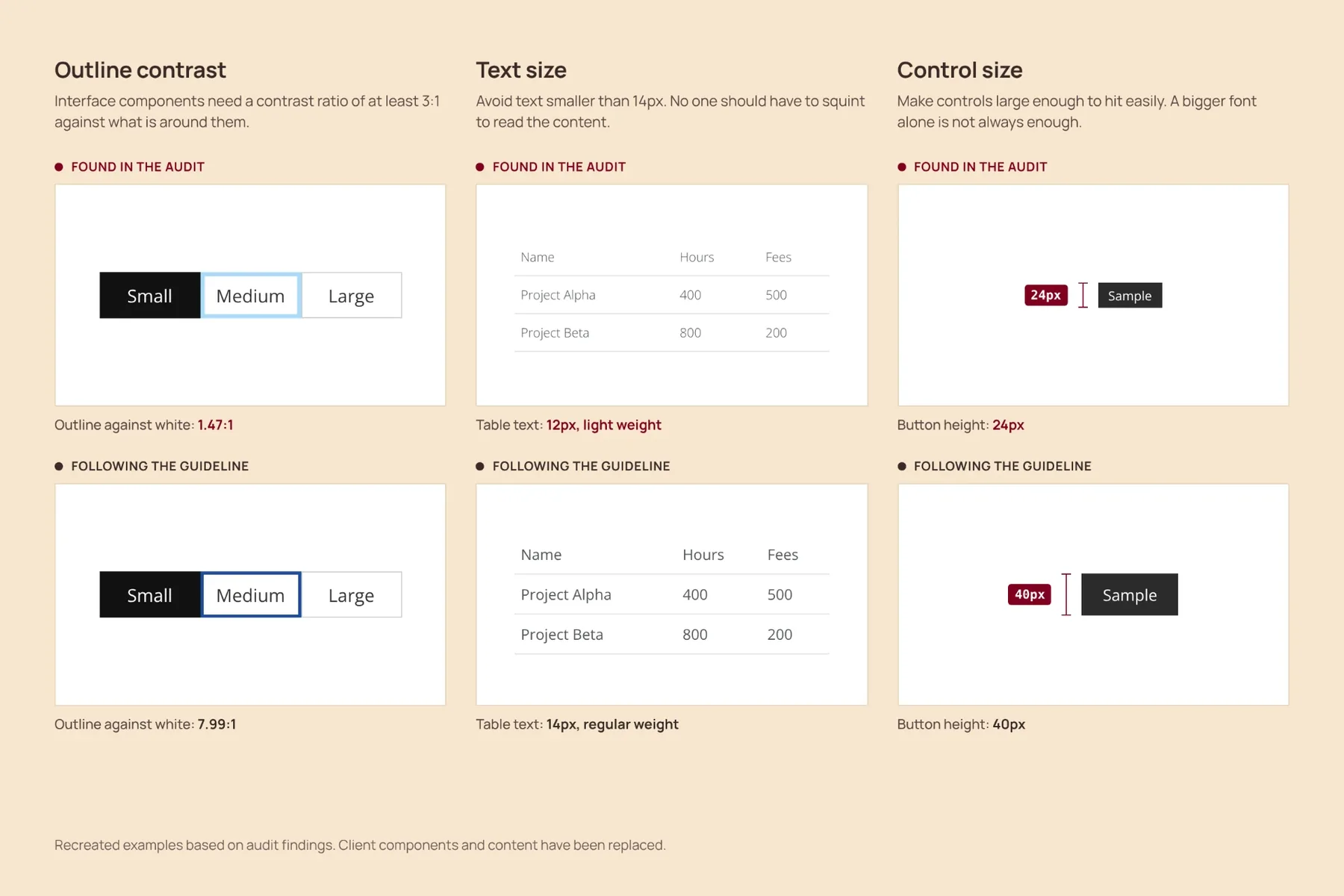
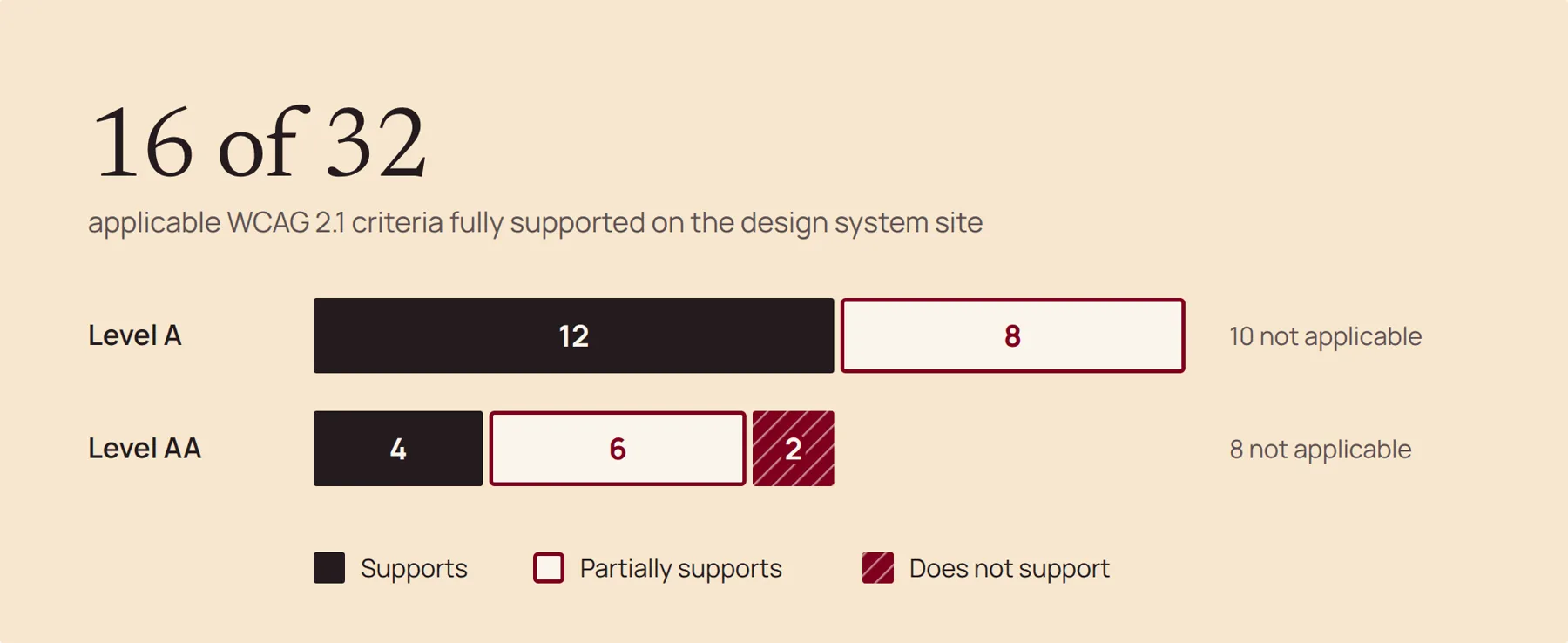
I also audited the design system Trinetix built for the client, covering both its documentation site and its components. On the site, 16 of the 32 WCAG 2.1 criteria that applied were fully supported. Design was involved in 10 of the 16 gaps, and two failed completely: the contrast of interactive states like focus and hover, and content that appears on hover or focus. In the components, a few foundation choices caused problems across the whole system: the primary color, the focus color and the input borders. Because so many components inherited them, a small number of issues showed up almost everywhere. All of them were fixed before the design system site launched.
Writing for teams who wouldn’t ask
For each finding, I used a Help column to explain why the issue mattered and what could be fixed right away. I couldn’t tell every team exactly how to fix their code, because each one worked with its own frameworks. I also didn’t decide what they should fix first. The product owner and the team knew their users and how much time they had, so that decision was theirs. What I could do was show clearly what was wrong and what was missing, so they could decide.
Trinetix developers sometimes came to me for suggestions, and I helped them. External teams never did. They took the report and worked from it, so it had to give them enough to understand the problem on their own.
Results
Over six months I ran 15 audits. Teams could use the report as a backlog and prioritise it themselves. Because external teams worked from the report without me, I rarely saw what they fixed. The design system audit was the exception. The service became an official Trinetix offering and was still running when I left in 2025.
What I learned
Accessibility is rarely just a UI problem. It is a systems problem of priorities, communication, ownership and delivery constraints.
Since then I’ve started learning more about disability and what being accessible really means. Today I see it as more than a legal requirement. It helps the business too, because people enjoy using the product and make fewer mistakes. For people with ADHD, autism and other cognitive differences, it can change how usable the whole app is.