Context
The platform is used by audit professionals in several countries. Auditors don’t use all its modules at once. They work with specific funds, and the information about those funds sits in separate modules. The dashboard is the first thing they see when the app loads, and from there they decide where to go.
The problem
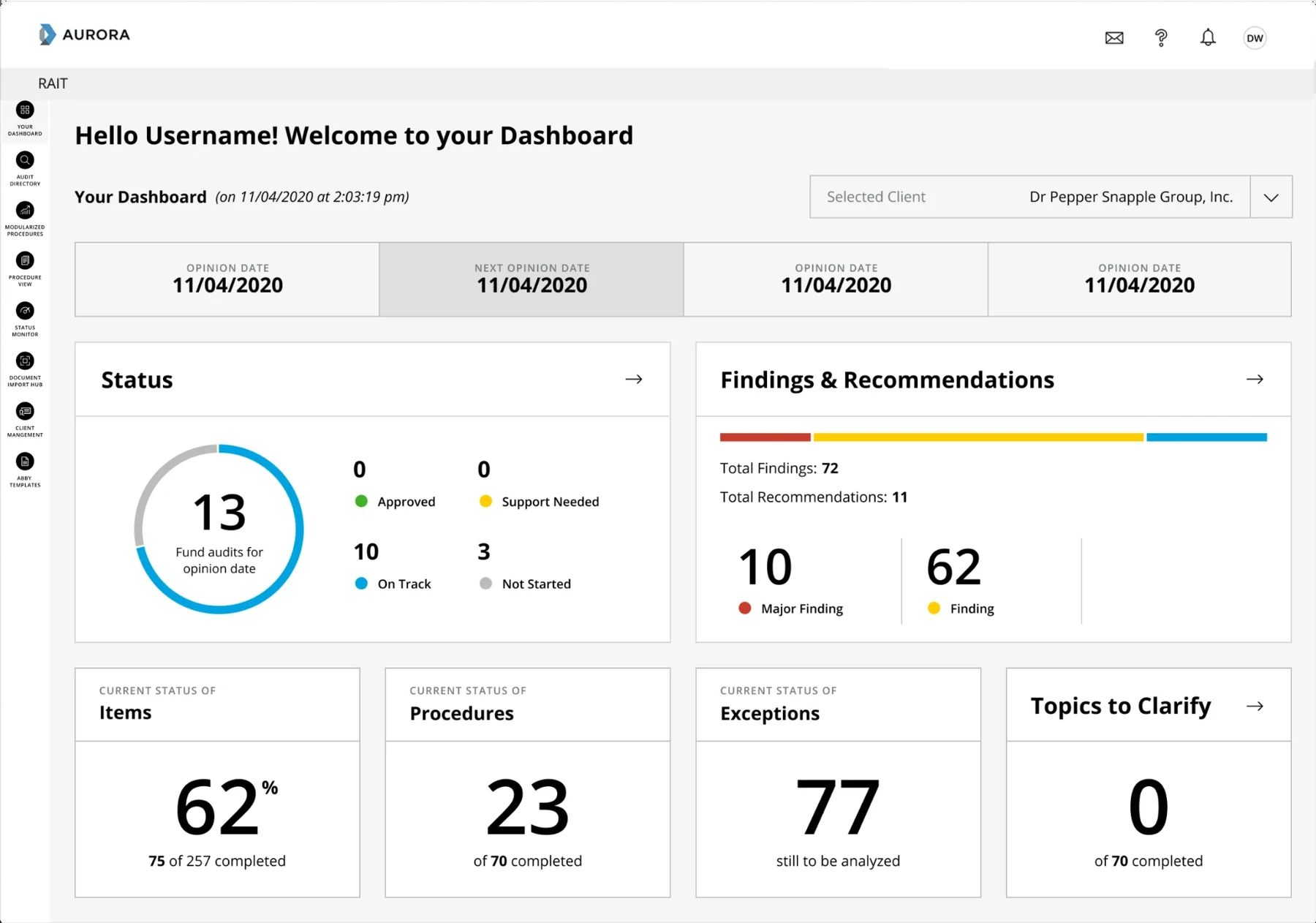
The dashboard was built to show statistics, but nobody paid attention to them. The numbers didn’t relate to the specific audits people were working on. Auditors work on large audits, projects, funds or assets, and they already have a sense of what’s happening in them. The statistics weren’t relevant to their work.
A constraint I couldn’t change
The platform was becoming part of a larger ecosystem, so it had to move to a new design system. The new standards included a navigation drawer with nested submenus. I didn’t agree with this change, because it made work harder rather than simpler: reaching the main modules would now take more clicks. But it was a standard for every app in the ecosystem, so I couldn’t change it.
Going beyond a reskin
I proposed not just moving the dashboard to the new design system, but changing it at the same time. Since the screens were being rebuilt anyway, doing it then could cost less than a separate redesign later. I also wanted to cover the risks the new drawer created.
Understanding the work
I started working out what would be relevant and how auditors actually work. I already understood a lot about how different groups of auditors and other specialists use the app. My assumption was that they needed quick access to what they use first, such as the audit, fund or client they’re working on, without going through different modules.
I didn’t talk to users directly. I handled all the communication with five product owners.
Options we explored
Product owners found it hard to discuss ideas without seeing something, so I assigned a junior designer to create a few options and guided him through them. We used them to ask questions: how would an auditor use this, and how do they start their day? Those answers showed me the dashboard needed to be simpler. It should be a place that gives fast access to the most useful pages. New improvements could come later.
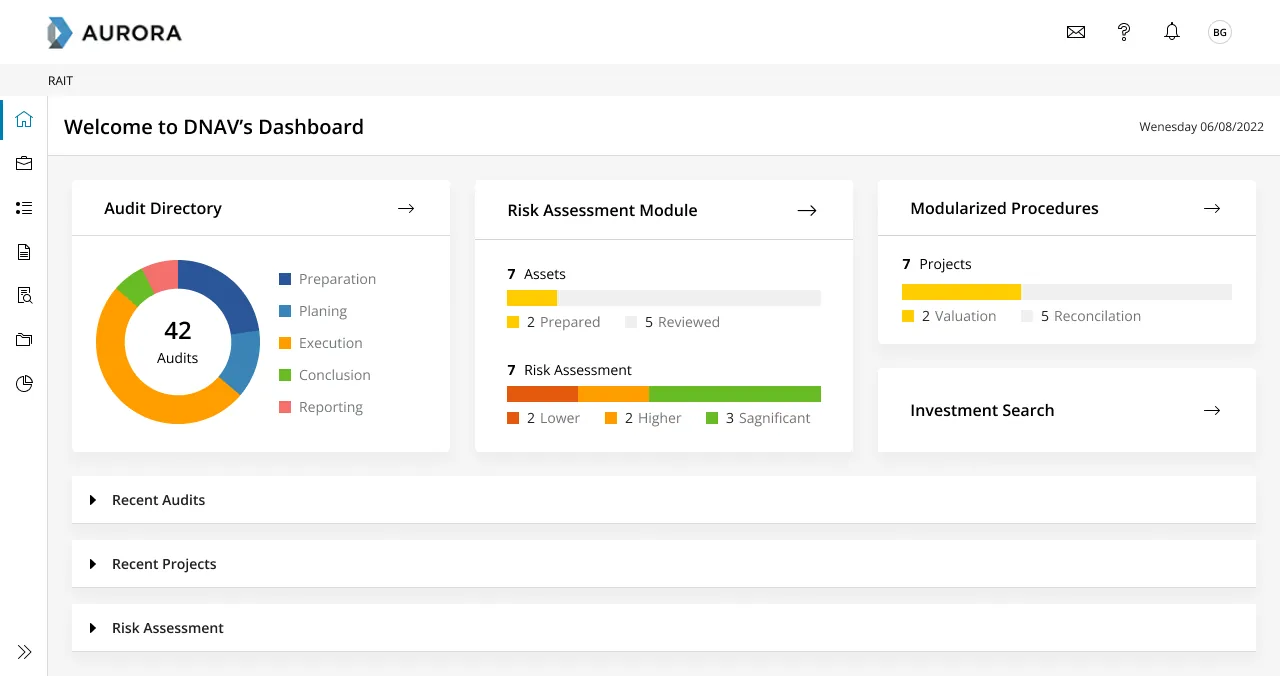
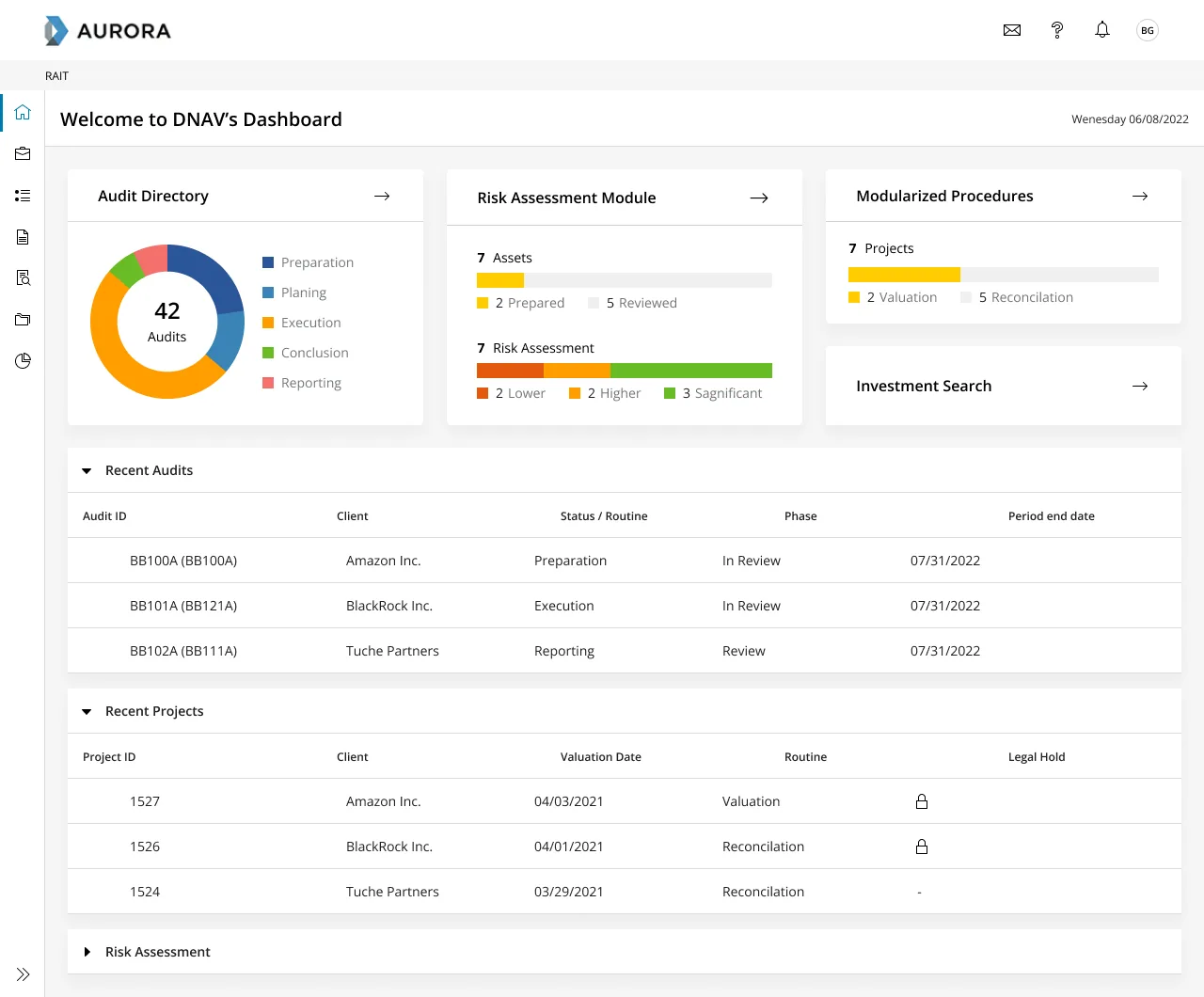
Below are the same option closed and open: the tiles at the top give access to the modules, and the rows underneath unfold to show the audits and projects behind them.
The final version
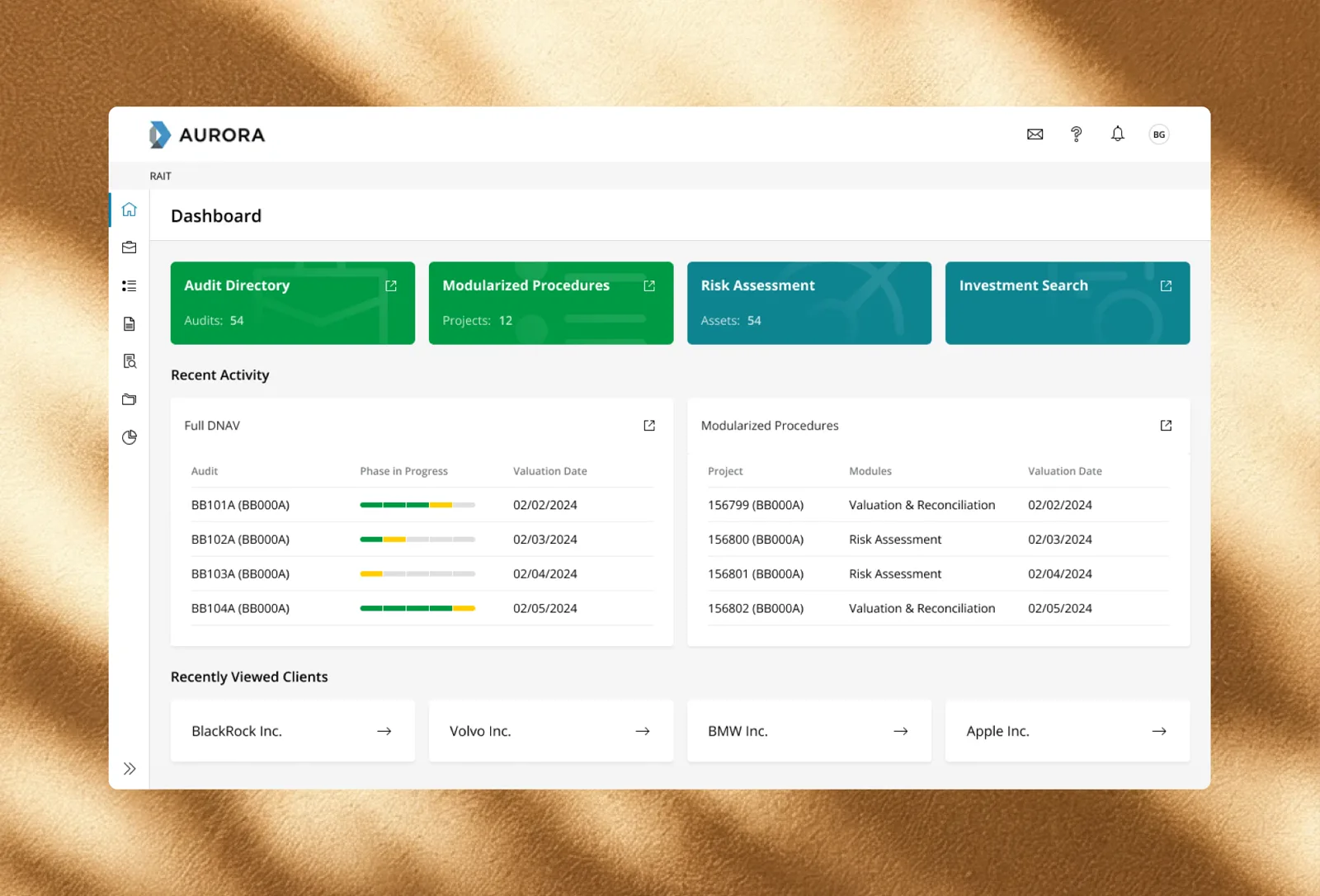
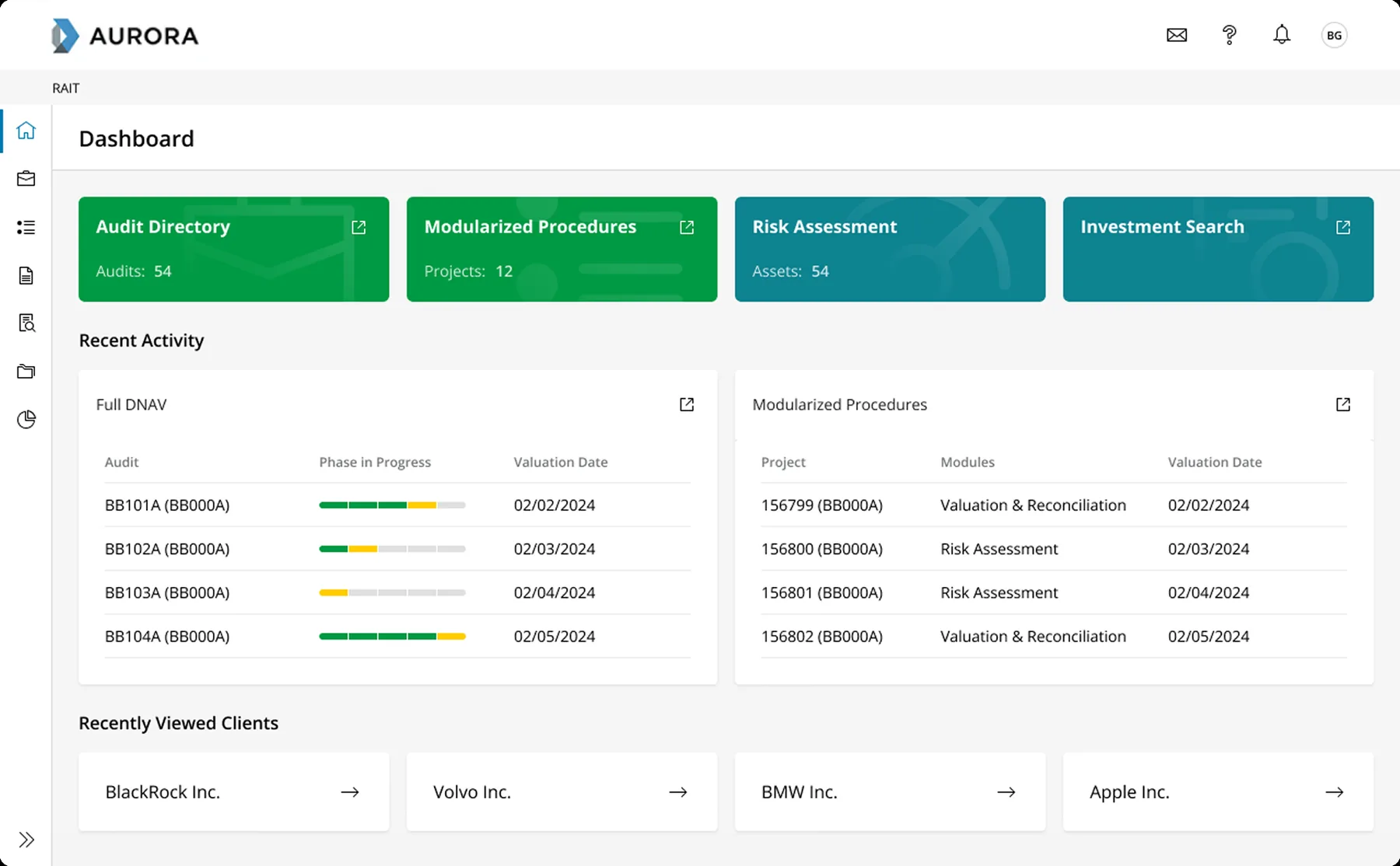
In the final version, the main modules sit at the top of the dashboard as tiles, so people can reach them without going through the drawer. Below them are their recent audits and projects and the clients they viewed recently. For people not yet assigned to any audits, there’s an empty state.
Outcome
The product owners took the idea to auditors, who confirmed it was what they needed. Later, the product owners told me users were satisfied with the new dashboard and started using it. Quick access to the modules was the part users liked most.
What I learned
I learned that a designer has to think like a product person all the time and keep the bigger picture in mind. We can all get focused on a particular task, but someone needs to see the whole picture, and a designer can help find the direction.